iOS 原生工程集成 React Native 指南
官方文档与痛点改进
参考:Integration with Existing Apps (React Native)
官方标准目录约定通常要求将 iOS 工程嵌套在 ios/ 子目录下、JS 代码置于外层目录,这对存量原生工程目录结构侵入较大。实践中可以将 package.json 直接置于原生工程根目录,通过调整 Podfile 中的 :path 与 :app_path,既保留 Autolinking 自动链接能力,又无需破坏原有 iOS 仓库结构。
推荐方案:同级根目录集成 Podfile
Podfile
require Pod::Executable.execute_command('node', ['-p',
  'require.resolve(
    "react-native/scripts/react_native_pods.rb",
    {paths: [process.argv[1]]},
  )', __dir__]).strip

platform :ios, min_ios_version_supported
prepare_react_native_project!

linkage = ENV['USE_FRAMEWORKS']
if linkage != nil
  Pod::UI.puts "Configuring Pod with #{linkage}ally linked Frameworks".green
  use_frameworks! :linkage => linkage.to_sym
end

target 'ios-study' do
  config = use_native_modules!

  use_react_native!(
    :path => "./node_modules/react-native",
    :app_path => "#{Pod::Config.instance.installation_root}",
    :hermes_enabled => true
  )

  pod 'TestModule', :path => './TestModule'
  pod 'SwiftUIModule', :path => './SwiftUIModule'

  post_install do |installer|
    react_native_post_install(
      installer,
      "./node_modules/react-native",
      :mac_catalyst_enabled => false,
    )
  end
end
完整参考工程:Hao-yiwen/ios-study
附:传统外层 JS 目录集成步骤回顾
如果采用外层 JS 目录 + 内层 ios/ 壳工程的结构,关键配置步骤如下:
1. 初始化依赖与 Metro 配置
package.json
{
    "name": "MyReactNativeApp",
    "version": "0.0.1",
    "private": true,
    "scripts": {
        "start": "react-native start"
    }
}
metro.config.js
const { getDefaultConfig, mergeConfig } = require('@react-native/metro-config');

/** @type {import('metro-config').MetroConfig} */
const config = {};

module.exports = mergeConfig(getDefaultConfig(__dirname), config);
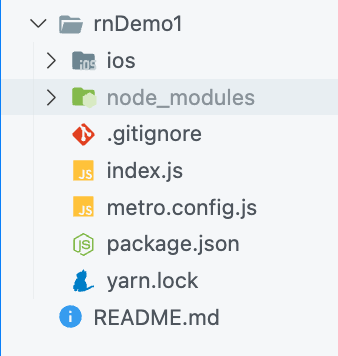
目录结构示意:
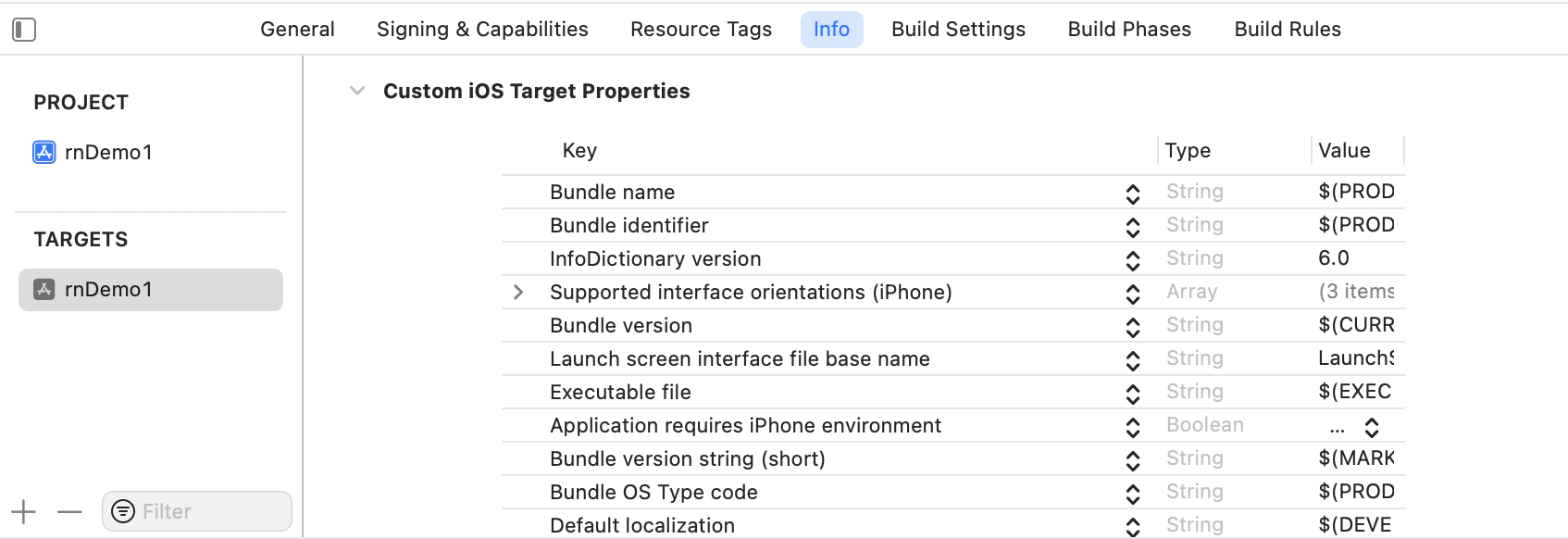
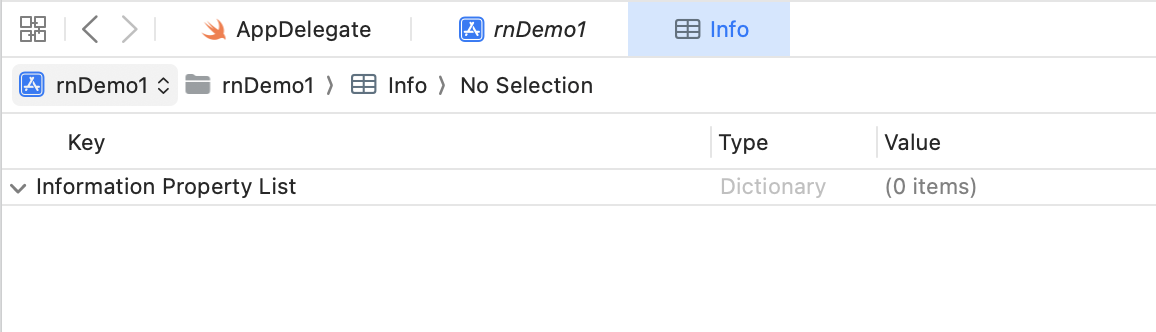
2. 移除 Main Storyboard 默认入口并挂载 RCTRootView
AppDelegate.swift
import UIKit
import React

@main
class AppDelegate: UIResponder, UIApplicationDelegate {
    var window: UIWindow?

    func application(
        _ application: UIApplication,
        didFinishLaunchingWithOptions launchOptions: [UIApplication.LaunchOptionsKey: Any]?
    ) -> Bool {
        let jsCodeLocation = URL(string: "http://127.0.0.1:8081/index.bundle?platform=ios")!
        let rootView = RCTRootView(
            bundleURL: jsCodeLocation,
            moduleName: "RNHighScores",
            initialProperties: nil,
            launchOptions: launchOptions
        )
        let vc = UIViewController()
        vc.view = rootView
        self.window = UIWindow(frame: UIScreen.main.bounds)
        window?.backgroundColor = .white
        window?.rootViewController = vc
        window?.makeKeyAndVisible()
        return true
    }
}
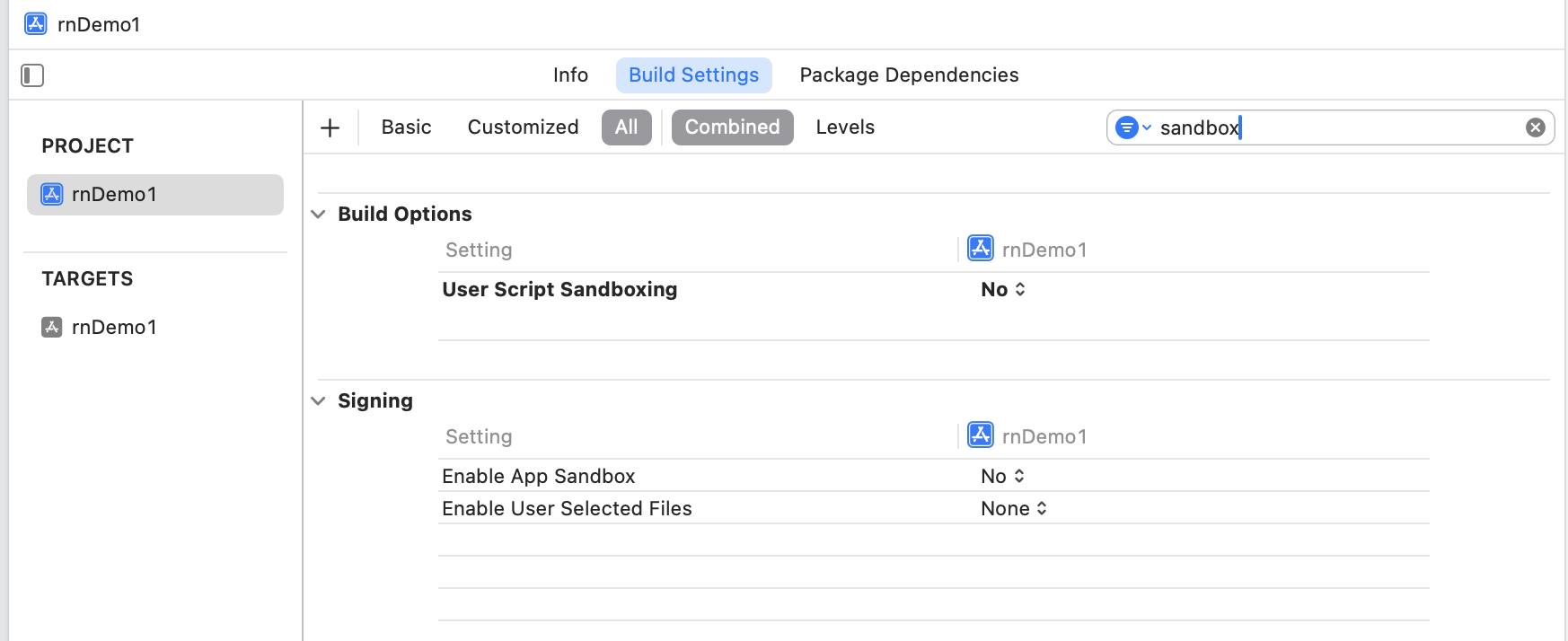
3. 关闭 User Script Sandboxing
在 Xcode Build Settings 中将 ENABLE_USER_SCRIPT_SANDBOXING 设为 No,避免构建脚本被沙盒拦截: